Join The Club





The best Steam Deck accessories will level up your portable gaming experience. If you've decided to buy a Steam Deck, accessories should be the next logical step to improve those little issues you've been having with your on-the-go gaming habit.
Choosing Steam Deck accessories from the mountains of false-economy rubbish out there isn't an easy task, we get it. Thanks to Valve's very kind offer to release its CAD files, online stores are brimming with innovative accessories—from the exceptionally practical to the downright obscure.

Katie has been cradling her Steam Deck for many years now and has learned how to make the most of it. That includes churning through numerous accessories and additions to figure out what makes for the perfect portable handheld setup.
Updated May 30, 2025 to add the Tronsmart Onyx Ace Pro and Keychron K2 as the best picks for our new budget earbuds and budget keyboard categories. These are perfect for low-cost gaming on the go, making them ideal for the Steam Deck. We've also fixed various links, typos, bugs and greebles, giving the whole guide a Spring clean.
Updated April 30, 2025 to check over our recommendations, tidy up some of the copy, and nip and tuck this guide into the best shape it can possibly be. It's the most comprehensive guide you'll find to excellent Steam Deck accessories, and we're rather proud of that fact.
Updated March 04, 2025 to swap out our earbuds, controller, and keyboard picks, and ensure the rest of our choices for Steam Deck accessories are the best out there right now (they are!).
The quick list

The best dock
This set the standard for Steam Deck docks, as it offers a bunch of ports, a sturdy build, and most importantly, an M.2 slot for expanded storage.

The best budget dock
This dock adds a USB Type-C 3.0 port over the more expensive competition. While there's no Ethernet port or included charger, it's super well thought out and at a fantastic price.

The best earbuds
Stunning audio, seamless connectivity, ANC, transparency mode, Qi charging, and 40 hours of battery life. SteelSeries has the perfect Steam Deck audio companion.

The best budget earbuds
In a world where everything seems to cost lots and lots of money, the Tronsmart thankfully don't. The battery life is also surprisingly strong for the cash.

Best controller
This controller is cheap but very cheerful. It's comfortable to use, supports 2.4G and Bluetooth connectivity, has Hall effect sticks, and even comes with a cover case to protect it on your travels.

Best keyboard
This gaming keyboard is truly portable thanks to its 60% form factor, plus its low-profile keys, which make it perfect to slide into a backpack. It also looks, sounds, and feels great to use.

Best budget keyboard
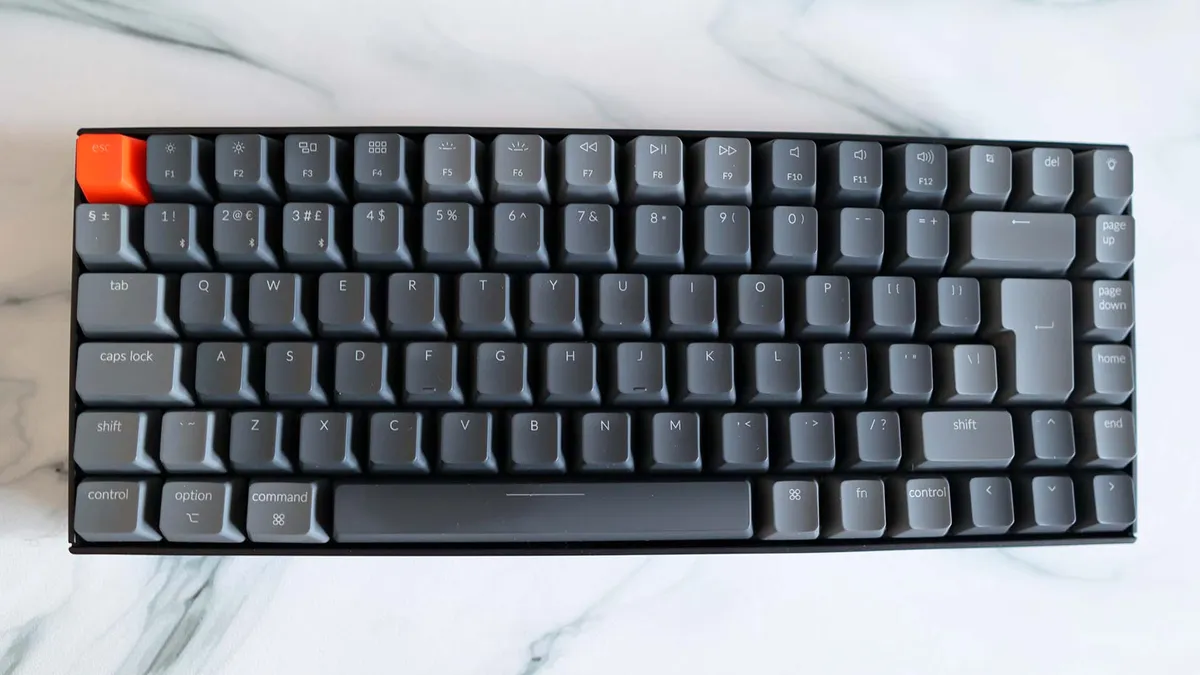
Proving that great wireless keyboards don't need to cost the earth, the Keychron K2 is an entry-level mechanical keyboard that hits all the highlights while keeping you cable-free, and that 240 hours of battery life without the backlight is mightily impressive.

Best cover
If you want to keep your Steam Deck protected and throw in some convenience, this case with a kickstand is perfect, especially because it clips on very easily.

Best screen protector
There are only a couple of things a screen protector needs to nail, and that's protection and ease of application. This protector aces both these tests and makes for a great addition to a Steam Deck.
⬇️ Click to load more of the best Steam Deck accessories ⬇️

Best case
A subtle, sturdy, and practical carry case, this improves on the official case and goes hard on storage space. It also retails for a very reasonable price.

Best backpack
If a carrying case isn't quite enough, or if you want that hands-free convenience, a backpack like this is a great option for your Steam Deck. This one is waterproof, sturdy, and opens at a 180-degree angle, too.

Best power bank
This power bank can keep your Steam Deck up and running for longer, and it only takes a couple of hours to charge it to full. Plus it comes 3/4 charged straight out of the box, in case you need it in a hurry.
The best Steam Deck dock
✅ You have a big game library: The M.2 slot in this docking station should give you room for an SSD to store some of those Steam games.
❌ You don't game on TV: One of the main reasons to use a dock is for hooking it up to your TV for couch gaming. If you're not doing that, it might be worth saving your money.
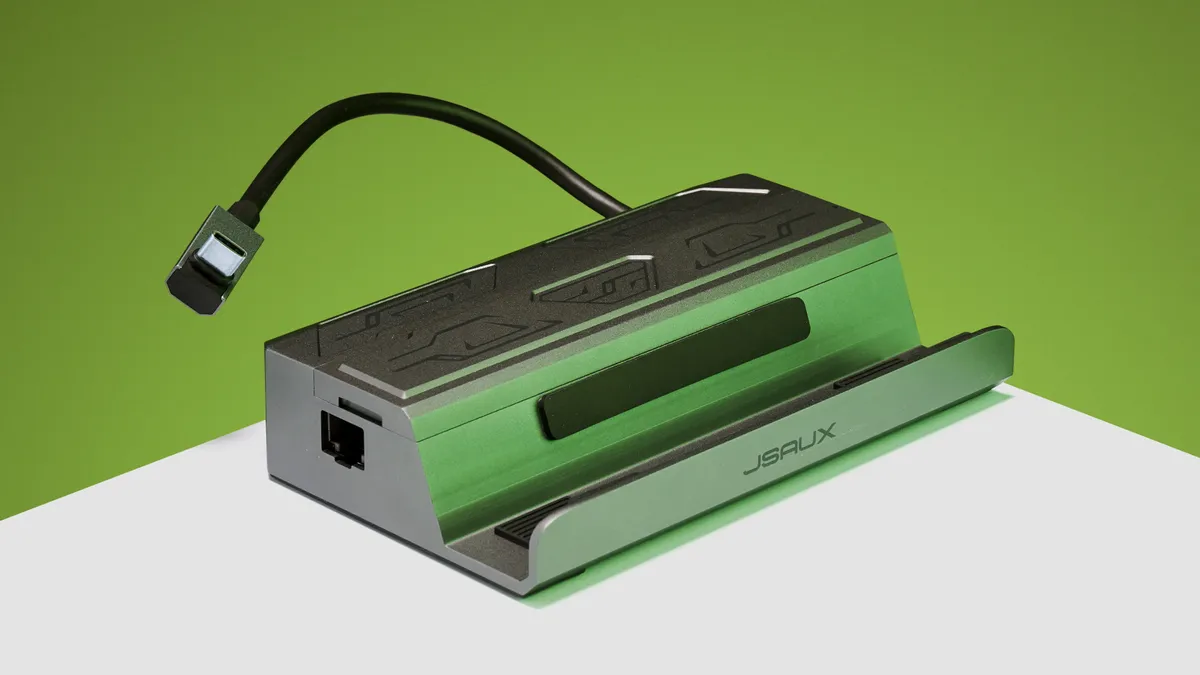
Aside from the weird tribal patterning, Jsaux has decorated the HB0604 M.2 Docking Station with— potentially to distinguish it from the previous, more affordable model (the Jsaux Steam Deck Dock)— the M.2 Steam Deck Dock is an absolute marvel. While Jsaux isn't the only company to have slapped an M.2 slot into a Steam Deck dock, it was one of the first.
And coming from a trusted manufacturer for $130/£90, though it's often sold for considerably less, with a spec that matches and improves on the official dock's features, it's not a bad buy. However, if you're expecting blistering transfer speeds, you will need to temper that expectation.
That's sans SSD, though there are a couple of package options. One includes a 1 TB SSD for a total of $200/£166, while the larger 2 TB option will set you back $270/£225. For our review sample, Jsaux fitted a Lexar NM610 Pro NVMe SSD, but given that the dock only supports PCIe 3.0 drives, yours might be shipped with something different.
That particular SSD is rated to 3,300 MB/s sequential read speeds and sequential writes of 2,600 MB/s. That's almost as fast as the often $200 PCIe 3.0 Sabrent Rocket of the same capacity and would be a smashing saving on top of the dock… if that were actually the case in testing.
Downloading KDisk Mark revealed the SSD comes closer to 2,050 MB/s reads and just 490 MB/s write speeds, though, in actual real-world testing (transferring game files from the NVMe drive to the Deck), I saw those speeds topping out at just over 9 Gbps. That checks out since the Steam Deck's USB Type-C connection only goes up to 10 Gbps.
Essentially, whatever SSD you stick in there, you will be limited by the Steam Deck itself. So don't splash out for a super high-speed SSD, as you won't be able to make the most of.
While it forgoes the DisplayPort that Valve's official dock comes with, the rest of the Jsaux's spec matches that model. On top of that, the Jsaux M.2 dock comes with an HDMI 2.1 port that supports 4K at 60 Hz, or 1440p at 120 Hz. Perhaps a little overkill for the Deck, or any handheld gaming PC for that matter, but appreciated nonetheless.
The main limitations here are posed by the Deck itself, and other small niggles aside, the Jsaux M.2 dock is a great piece of kit with hardly anything to complain about.
Read our full Jsaux M.2 Docking Station review.
The best budget Steam Deck dock
✅ You need wireless connectivity on a budget: A cheap wireless gaming keyboard is hard to come by, or at least one that's any good. The Keychron offers a lot of value for money. ❌ You can take or leave wireless: You could get a better all-around keyboard with nicer switches or RGB lighting, whichever you prefer, if you ditched the wireless connectivity. But you're reading this, so let's assume you want cable-free operation above all. Want a compact and portable keyboard for your Steam Deck, but don't want to pay too much? Then you want Keychron's latest K2, the best budget wireless keyboard. It starts at just $69/£69, and you get a decent-sized gaming keyboard with great wireless functionality and Gateron mechanical switches. You may think that for this sort of price, you're going to have to make major sacrifices. Maybe even ditch mechanical switches. But you don't. The Keychron K2 offers swathes of features that are more likely found on pricier boards, including both Wi-Fi and Bluetooth connectivity and simple swapping between Windows and macOS. There are a few Gateron switches to choose from. Your usual fare of linear, clicky, or tactile. We have tactile Gateron switches in our review unit, which are unspectacular and quite pingy on the enter and backspace keys, but otherwise pleasant enough to use for both typing and gaming. The battery life is rated to a lengthy 240 hours with the backlighting off, and you might not mind keeping it disabled during the day. With the cheapest board offering only white LED backlighting, it's purely a useful feature for low-light situations. Like writing your horror novel in the dark. All that being said, what you get here is a wireless keyboard with a better typing feel than most, some usable backlighting, and from a trusted brand for less than the competition. You simply get a lot for your money with the Keychron K2, and when it comes to wireless gaming keyboards that often cost a lot of cash, that sort of saving goes a long way. Read our full Keychron K2 review. ✅ You use your Steam Deck in front of a desk: The kickstand on this cover is ideal if you like to prop it up on your desk or table and sit back with a controller. ❌ You don't like having to clean things: This case requires some extra cleaning because the seam can pick up dirt from your palm quite easily. The Jsaux Protective Standing Case is a simple solution to two problems you'll undoubtedly have come across when using the Steam Deck: the inability to prop it up without blocking the exhausts, and the fear of the shell being damaged. While these seem relatively insignificant, they can make all the difference to the ease of use and bring peace of mind when moving around. Practical, durable and pretty darn stylish, Jsaux has hit the mark with this one. The Steam Deck is a hefty little machine at 669 g (1.47 lbs), and frankly, you can't be expected to hold it up through every exhaustive cutscene your game throws at you, or while you're waiting for something to load. Along with the protective case being textured to prevent the deck from slipping when your hands get sweaty, there's a nifty little kickstand for when your arms get tired. It pops out easily, with enough space to get your thumb around it even if you don't have nails. The stand is wide enough that there's no shaking, and the thing snaps on easily, too. There are the necessary holes for ventilation, of course, and you've even got a little window on the back, in case you've decided to adorn the case with some kind of sticker. It even seems to improve the ergonomics ever so slightly, with the shell exaggerated just where it feels right. The only real downside is that some cables may be the wrong shape to fit in the hole for the charging port, and that the case's seam sits on your palm and gets dirty relatively easily, making it all the more prominent. Having the case on also prevents the Deck from fitting inside Jsaux's own-brand docks, meaning you'll have to choose between the two. Otherwise, I've no major complaints. It would have been nice to have had the option to adjust the kickstand, but it's not a glaring issue, and for the low price of $22, it's well worth it if you're not planning on docking too often but still want your Deck to stand to attention. ✅ You don't want any faff: This screen protector is very easy to apply, so no worries there. ❌ You like anti-glare coating: This screen protector has a lot of shine to it, which can look great but not if you're wanting that anti-glare coating on some versions of the LCD Steam Deck. I had no major issues applying the Jsaux screen protector. In the box, you get a nifty card to smooth out the bubbles, dust removal stickers and wipes, applicator guide stickers, along with an easy-to-follow step-by-step installation guide. It was even forgiving when a sneaky eyelash got under one of the corners. I was able to gently peel back the corner a little to remove the intrusion without the thing snapping in half. That says something about the durability and flexibility of the glass, even with it being quite thick. The thickness is pretty evident, too, though there's nothing special to note there—9H hardness is pretty standard across the market. The protector matches the size of the screen down to the millimetre, which is great and means you don't get that annoying overhang. I was underwhelmed with the apparent "oleophobic coating" meant to reduce fingerprints, as it doesn't seem to make a difference for me. The big problem with the tempered glass protector is the fact that its shininess sadly negates one of the main selling points of the top-end, 512GB Deck: the anti-glare screen that actually makes the Deck playable in bright sunlight. Still, it's certainly worth that tradeoff to keep the screen safe, especially when you get two for just $13. I guess that's in case you're one of those people whose luck dictates an imminent drop the day after putting a screen protector on. ✅ You want to keep your Steam Deck safe: This thing is very durable, so no need to worry about its screen smashing whenever you bump your carry case slightly. ❌ You want tons of room: This case isn't designed to be a carry-all, despite it having enough room for some chargers, wires, and earbuds. Just an inch or so thicker than the original Steam Deck case, the Jsaux Carry Case is hands down the best carry case I've seen around. While it doesn't have a long strap or masses of space inside, it's super durable, neat looking, and great for consolidating a bunch of small accessories. It even doubles as a stand for when you want to prop the Deck up. With the Steam Deck's official case, there's a recess on the outside covered with a strap, the purpose of which no one really knew. Then, with the 512 GB version, you even get a little baggy that seems to fit in the outside recess quite snugly. The issue is, even if you do manage to fit any accessories in there, you're risking them falling out, being on the outside like that. This case inverts that outer recess and expands it so you get a sizable nook for storing chargers, docks, wires, and even earbuds. Sadly, the official UK charger doesn't fit in there as our plugs are awkward, but if you can get a charger where the plug slides off that quickly becomes a non-issue. I'm using a MacBook charger, myself. Alongside it, there's even space left over for wires and perhaps even a small mouse or some earbuds. It's a stylish-looking case with a grey and black flecked shell, and the covered zip makes it look all the more refined. The handle makes me feel confident enough to swing my Deck around. When I'm done being a hooligan, the internal fleece flap protecting the screen not only turns into a stand, it also has a little net pocket with five individual compartments for SD cards—though I'm not sure anyone will ever need that many. The main thing is that the case is sturdy and practical, without being too bulky and awkward. It's only $27 for something that's going to keep your deck together with all your little accessories, and safe from the ravages of that strange place we call "the outside." ✅ You prefer hands-free: Hand-held carry cases are great, but sometimes you want to, y'know, actually use your hands. In which case, a backpack like this is a great choice. ❌ You want a backpack perfectly tailored to the Deck: This isn't made specifically for the Steam Deck, which means certain things aren't just right, such as its slightly tight strap. While potentially better suited for the Switch, this bag has a lot to offer Steam Deck users. The main compartment is large enough for the Deck, and though the strap doesn't quite fit, it shouldn't shuffle around too much. There are plenty of compartments for phones, power banks, docks and maybe even a controller, as well as enough space in between that they don't knock together. There's no dedicated space for a Steam Deck charger, though, and I wouldn't want anything rattling around in there since the screen isn't fully covered when you have the Deck nested in its slot. Since it's not technically made for the Deck, the strap to hold it in is a little tight, which could end in it coming undone, though it's not going anywhere if it does. There's a hole in the side of the Annapro carrying case for headset wires, and a comfy shoulder strap. The strap can not only be adjusted, but also switched over to the other side. I've taken to wearing it on my front for easy access, and I really appreciate the fact that it's waterproof. The bag opens all the way out and stands up on its own, which is really handy. With the hard case, there's an extra layer of protection, though it's not as sturdy as the official Deck case. Still, it's pretty darn comfy, and stylish if you're into the sci-fi street wear look. I will say it's a little expensive for what it is, at $40 (£38), but I guess that's the price you pay for dedicated carrying practicality. ✅ You want something small and fast-charging: It'll get your Steam Deck up to full in about two hours and it won't take up tons of room in your carry case. ❌ You need multiple charges: This portable battery only packs just over one charge worth of power in it. The Zendure X5 is an exceptional offering for $99. Not only is it well built, but it also looks pretty darn stylish, feels great in hand, and even has grooves on the outside to prevent slippage. Most importantly, it comes with support for 45W Power Delivery. What that means is it will allow the Steam Deck to charge quickly with higher power than your average charger. The Zendure X5 does come with a Power Delivery cable, which, although it's pretty average at around 430 mm / 17 inches in length, comes with a USB Type-C to USB Type-A adapter. Just be aware that should you try to charge the Deck with the standard USB Type-A, you'll end up with a warning that you're using a slow charger, and the Deck may eat up charge faster than it can deliver. The Zendure X5 holds around one and one-third full charges for the Steam Deck, and even comes practically fully charged, which is appreciated when you're already stuck somewhere without a charging station. It'll keep you ticking along once you hit the dreaded 10% battery mark until you get to a save point, fully charge the Deck, then offer another grace period once you hit 10% battery for a second time. Either way, it holds more than enough charge for a remote gaming session or three. It took just less than two hours to fully charge the Deck, as well. The Zendure 5X also doubles as a data transfer USB hub, in case you need to jam some files on the Deck quickly while it's charging. It's not got the speediest read/writes, but it's a great extra, especially when you're tight on ports. Sadly, it doesn't work as a dock, so you can't use those extra ports to plug in a mouse and keyboard while it's charging, but it should be able to give some juice to a wireless controller or headset while you're waiting. I would have appreciated some kind of carry case for the price, but it's just the right size for most pockets and not too heavy. Overall, it's one of the most practical-sized, affordable power bank options for the Deck. It really depends on how you plan to use your Steam Deck as to whether a Steam Deck dock is worth it. If you're looking to play a lot of couch co-op, use the Deck like a mini PC, or even just kick back without needing to hold it up during cutscenes, a Steam Deck Dock is super useful. It's also a tidy way to charge up your Deck while displaying it nicely on your desk, with all those pesky cables trailing behind as opposed to strewn over your desk. You'll want to get a Bluetooth gamepad and some other wireless peripherals in order to make the most of a Dock, though—trailing cables from behind your Steam Deck isn't the way and just looks plain messy. Of course, it depends on how and where you're going to be playing it, but my recommendation for the best Steam Deck Accessories to get the most out of it is to go fully wireless. Plug in a Steam Deck dock, and sit back with a wireless controller, a 65% gaming keyboard, and a gaming mouse. Even if you can't afford a dock, a hard case with a kickstand is an absolute necessity. If you plan to take it anywhere, though, it's worth getting a slightly larger carrying case than the standard one, especially if you're going to pair the Deck with some nice, wireless earbuds, as that way you'll have somewhere to stash them.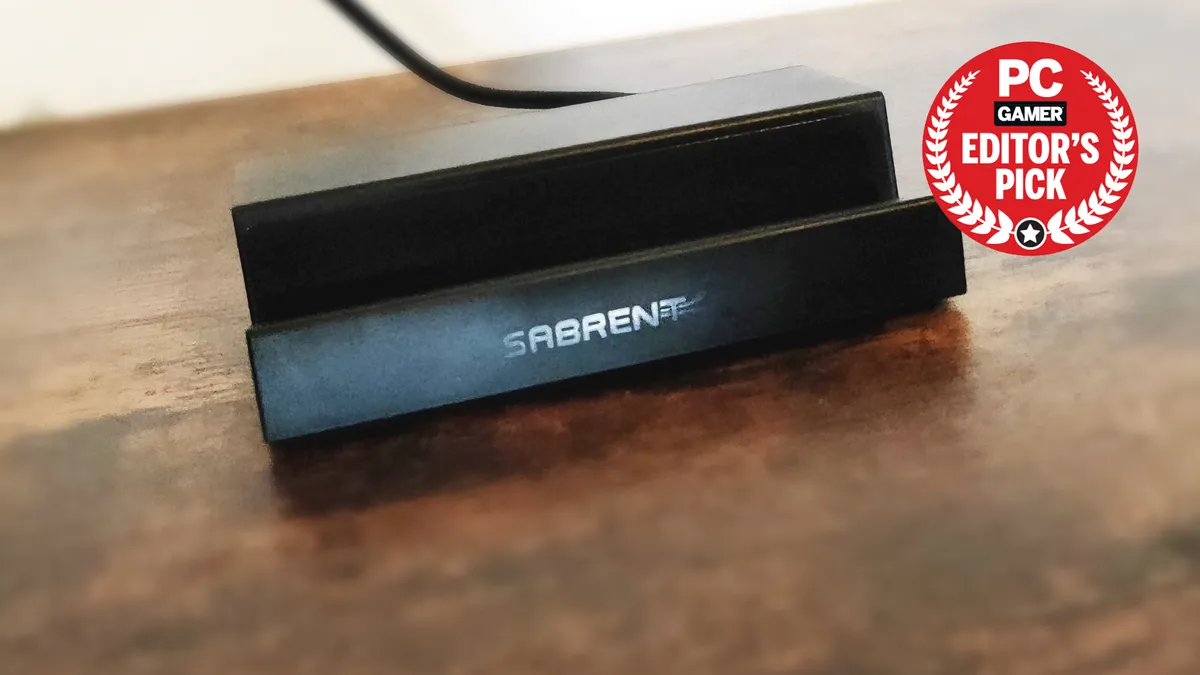 if (window.sliceHydrationLazy) {
} else {
console.error('%c FTE ','background: #9306F9; color: #ffffff','no lazy slice hydration function available');
}
if (window.sliceHydrationLazy) {
} else {
console.error('%c FTE ','background: #9306F9; color: #ffffff','no lazy slice hydration function available');
}
if (window.sliceHydrationLazy) {
} else {
console.error('%c FTE ','background: #9306F9; color: #ffffff','no lazy slice hydration function available');
}
if (window.sliceHydrationLazy) {
} else {
console.error('%c FTE ','background: #9306F9; color: #ffffff','no lazy slice hydration function available');
}
if (window.sliceHydrationLazy) {
} else {
console.error('%c FTE ','background: #9306F9; color: #ffffff','no lazy slice hydration function available');
}
if (window.sliceHydrationLazy) {
} else {
console.error('%c FTE ','background: #9306F9; color: #ffffff','no lazy slice hydration function available');
}
if (window.sliceHydrationLazy) {
} else {
console.error('%c FTE ','background: #9306F9; color: #ffffff','no lazy slice hydration function available');
}
if (window.sliceHydrationLazy) {
} else {
console.error('%c FTE ','background: #9306F9; color: #ffffff','no lazy slice hydration function available');
}
The best Steam Deck cover
The best Steam Deck screen protector
The best Steam Deck carry case
The best Steam Deck backpack
The best Steam Deck power bank
Since the Steam Deck has a 5,313 mAh capacity, I did expect a little more charge from a 15,000 mAh battery pack, though these things never seem to line up. I also have a sneaking suspicion it continued to drain the battery a little even after it was fully charged.Steam Deck accessories FAQ
Is a Steam Deck dock worth it?
If you're looking to plug your Steam Deck into an external monitor in any way, a dock will keep it standing while you work, and it'll mean you won't need a USB Type-C to HDMI/DP adapter. With a dock, you can plug in a bunch of peripherals, and some even come with an Ethernet port or an M.2 slot, so you can keep all your games on a speedy NVMe SSD.What are the best Steam Deck accessories?