 Join The Club





You might think routers are boring, but that's only because they just sit in a corner of your home, quietly getting on with their jobs. In the never-ending PC gaming quest for more speed and features, a Wi-Fi 7 router makes all the difference. These offer not just screamingly fast wired and wireless connections for streaming and blink-and-you'll-miss-it downloads, but also the kind of processing and transfer capacity that won't slow down when your family's TikTok addiction reaches critical mass.
The best gaming router you can buy right now is the TP-Link Archer GE800. It's a Wi-Fi 7 model that's seriously fast, and very easy to set up, too. However, it is quite expensive, so those looking for something more affordable, the TP-Link Archer BE9700 is the best mid-range router, with the wallet-friendly Asus TUF Gaming AX4200 being the best budget.
The quick list

The best overall/best Wi-Fi 7
If you want the absolute pinnacle of networking goodness, TP-Link's Archer GE800 is that. Sporting the new Wi-Fi 7 standard and an aesthetic that is nothing if not Dark Side chic, this is the fastest, most feature-packed router you can buy today.

The best mid-range
Want all the latest Wi-Fi 7 features and great wireless performance, but without a hefty price tag. Then you want TP-Link's Archer BE9700, as its capabilities are more than good enough for most users' needs, yet it costs considerably less than any top-end model.

The best budget
If you're not a stickler for the very latest wireless standard, this Wi-Fi 6-toting Asus TUF router will be all the network data-pumper you will need. It's fast and affordable, and do you really need any more than that?

The best mesh
If you're looking to fill your home with fast Wi-Fi 7 routers that are easy to set up and use, sport all the latest features, and won't burst your bank account wide open, then the TP-Link Deco BE68 is the perfect choice. You can get faster mesh systems, but they're way more expensive.

The best budget mesh
Mesh systems are super expensive, yes? Definitely not, and in the case of the TP-Link Deco BE25, you can buy three nodes for the price of a single traditional gaming router. Despite using Wi-Fi 7, you don't get a 6 GHz band, but for most users, it'll be more than fast enough.

The best for wired
Got a ton of 'things' that need to be physically wired into your router, like a million IoT devices, each with its own controller that inexplicably refuse to limit to Wi-Fi? We hear you, and so does Asus with its RT-BE88U.
⬇️ Click to load more of the best gaming routers⬇️

The best Wi-Fi 6E
You need whole new devices to really take advantage of all the latest Wi-Fi 7 technology has to offer, but the 6E standard has another level of performance over Wi-Fi 6—and TP-Link's Archer AXE75 won't break the bank now it's last-gen.

Ian has reviewed tech of all sorts for a host of different publications around the world and is our go-to guy for all things networking. However much as he might pretend to hate the notification sound of Dave sliding into his Slack DMs to ask him to benchmark 'just one more router, Ian. You know you love it.' Secretly, he does.
October 17, 2025: It's been a while since this guide has been updated, because routers are like buses: you get none for ages, then a pile arrive all at once! We've added two new categories, with the TP-Link Archer BE9700 being our pick for the best mid-range router and the TP-Link Deco BE25 BE5000 as the best budget mesh router. Both are great value for money, offering plenty of performance and a wealth of features. We've also crowned a new champion for the best overall mesh router, the TP-Link Deco BE68. It displaces the Amazon Eero Max 7 because it's considerably cheaper, yet not much slower and offers all the same Wi-Fi 7 features.



✅ You don't have Wi-Fi 7 devices yet: You can make the best of any Wi-Fi 6 and 6E compatible devices with this slimiline beastie.
❌ You're a sucker for tech FOMO: If you're not the type to be happy settling for last-gen for saving, then even the 6E speeds won't soothe your desire for Wi-Fi 7 pace.
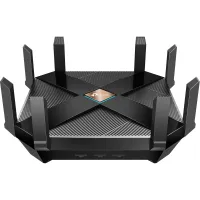
With an attractive finish that switches between smooth and shiny fingerprint attractor and textured dust magnet, the TP-Link Archer AXE75 is the best Wi-Fi 6E router you can buy, offering all the features granted by Wi-Fi 6, and expanding them into an extra 6 GHz band that can have its own SSID.
This means you'll end up broadcasting three separate networks (though you can bundle them all together in one and allow the router and client device to work out which works best), and the new 6 GHz band is potentially faster but has a shorter range, as well as a lowered capacity for penetrating things like walls and floors.
As a result of this, you'll get the best 6 GHz Wi-Fi speeds if your gaming PC is in the same room as the router, or at least close by, and you'll need a 6E compatible device to prevent it from dropping back to older standards. Once you've got everything in place to make it happy, you can look forward to transfer speeds that can outstrip Ethernet.
The elephant herd in the room here is made up of routers that support Wi-Fi 7, which improves over 6 and 6E by doubling the channel width and bringing in some new ideas for how to send the most data through the airwaves and walls. This router doesn't have it, and that's going to be a problem for those who must always have the newest thing.
But for most people, Wi-Fi 6E just means they have a fast 6 GHz channel for their laptop, a 5 GHz band for phones and tablets, and everything else can have the 2.4 GHz connection. You can even set up a guest network for visitors.
Wired network aficionados aren't left out, with the customary rack of four gigabit Ethernet ports on the back allowing you to hook up media servers and PCs that don't move via a stable connection that doesn't mysteriously drop out or get interfered with in the way Wi-Fi occasionally can.
Speed freaks might bemoan the lack of 2.5 Gbps ports, but anyone speccing for a network carrying that kind of data at home is going to want to splash out on a premium model anyway. The processor in the AXE75 will keep ticking over nicely with lots of devices communicating at once, although as ever if you need more then get a model from a higher range, and there's a vent under the textured lid to let excess heat escape.
What you get here is a router that's plenty fast enough, and sticking with the older-gen tech keeps its price down too. If you're struggling with an outdated network hub or using the one your ISP provided, it makes an excellent upgrade, and you'll notice the difference, especially if your internet connection is a speedy one.
Read our full TP-Link Archer AXE75 review.
Also tested
Gaming router FAQ
Is a gaming router worth it?
Gaming routers can prioritize traffic to your gaming PC and consoles—they're built to be greedy. The best gaming router reduces lag during your online game sessions, even if other devices in your household are streaming or downloading. If you've had the same router for years, it might be the right time to consider an upgrade if you want to get the most out of your internet.
Is wired better than Wi-Fi for gaming?
Given the potential for Wi-Fi connections to have hiccups, we would always suggest, where possible, having your gaming PC wired into your router directly. Failing that, buy a Powerline connection. Wireless connections are getting more effective, and Wi-Fi 6 is good enough that wireless VR streaming is now possible. But if latency creeps in there, you might throw up.
The best gaming routers have multiple LAN ports for wired connections—which are preferred—but most differ from ISP-provided gear through the latest Wi-Fi standards, such as 802.11ax, aka Wi-Fi 6. This means faster and more efficient wireless data throughput for a more significant number of devices. That last bit is key to rock-solid wireless performance in an age of smart devices and appliances.
Can I use any gaming router with my provider?
Before you splash out on a new router, you will need to make sure that it is compatible with your current ISP. Some ISP-provided cable modems, for example, don't offer pass-through connectivity to allow a high-performance router to be paired with it. So it's important to make sure you're not wasting your money.
What are Wi-Fi 6 and Wi-Fi 6E?
Wi-Fi 6, otherwise known as 802.11ax, is an improved generation of wireless communication between devices. Both client and router need to support Wi-Fi 6 to get its benefits, but these include faster throughput for a more stable and efficient connection, ideally less interference, and upgrades to MU-MIMO features.
Wi-Fi 6E delivers the benefits of Wi-Fi 6 with the 6 GHz frequency in play to expose further congestion-free networking to your compatible devices. You probably need a good reason to buy a Wi-Fi 6E router today, but it could offer you some improvement with compatible devices.
What is Wi-Fi 7?
Wi-Fi 7 is the latest standard in Wi-Fi connectivity, and is simply the fastest home networking you can get right now, with support for more connections than the previous standards, wider channels, and better congestion and interference handling. It's a useful thing to have if you're looking to buy a router that's going to last for years, but by no means a necessity for fast internet connections for most users.
By all means invest now if you want the absolute latest and best connection standards, but don't feel too left out if routers using this new connection standard are more cash than you feel comfortable paying.